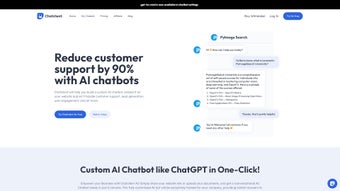

Download ChatClient – Customizable AI Chatbot for Customer Support
Overview
ChatClient is a web‑based AI chatbot builder that empowers businesses to create personalized, data‑driven virtual assistants for customer support. By ingesting company‑specific information—such as website URLs, PDFs, CSV files, and other document formats—the platform trains a chatbot that can answer questions, guide users through processes, and resolve issues 24/7. The tool’s intuitive interface lets users upload data and launch the training process with a single click, eliminating the need for complex coding or machine‑learning expertise. Once trained, the chatbot can be embedded as a responsive widget on any website, delivering instant, context‑aware responses that boost engagement and conversion rates.
While ChatClient currently focuses on English‑only interactions and does not provide a public API, its streamlined setup, secure cloud hosting, and continuous improvement cycle make it a valuable addition to any customer‑service arsenal. Companies that have adopted ChatClient report higher satisfaction scores, reduced support ticket volume, and a measurable lift in sales due to quicker response times. Whether you’re a small e‑commerce shop or a mid‑size SaaS provider, ChatClient offers a cost‑effective way to automate support while preserving the brand’s voice and knowledge base. The platform also includes built‑in analytics that help you track key performance indicators such as average response time, user satisfaction, and conversion impact, giving you the data you need to fine‑tune both the bot and your overall support strategy.
Security is a top priority; all data is encrypted both in transit (TLS 1.2) and at rest (AES‑256), and the service complies with GDPR, CCPA, and other major data‑privacy regulations. Regular automated updates ensure that you always benefit from the latest AI improvements without manual patches. For businesses looking to future‑proof their support operations, ChatClient’s roadmap includes multi‑language capabilities and API extensions, making it a forward‑looking investment that can grow alongside your organization’s needs.
Key Features & Capabilities
- One‑Click Training: Upload PDFs, CSVs, or link to webpages and start the AI training process instantly.
- Website Widget Integration: Seamlessly embed the chatbot on any site using a short script or plug‑in.
- Contextual Knowledge Base: The bot draws answers directly from the uploaded company data, ensuring relevance.
- Customizable Conversation Flows: Drag‑and‑drop builders let you define greetings, fallback messages, and escalation paths.
- Analytics Dashboard: Real‑time metrics on user interactions, satisfaction scores, and conversion impact.
- Secure Cloud Hosting: All data is encrypted at rest and in transit, complying with GDPR and CCPA standards.
- Multi‑Channel Support (Future Roadmap): Planned extensions for Facebook Messenger, WhatsApp, and live‑chat handoff.
Beyond the headline features, ChatClient excels at reducing the friction that typically accompanies AI adoption. The platform automatically extracts key entities from documents, builds a searchable index, and continuously refines its response accuracy through supervised learning. Users can fine‑tune the bot’s tone—formal, friendly, or technical—to match brand guidelines. Additionally, the built‑in escalation system routes complex queries to human agents, preserving a seamless handoff experience. For teams that rely on data‑driven decisions, the analytics suite provides insights into peak usage times, most‑asked questions, and drop‑off points, enabling iterative improvements without external consultants.
Each feature is designed with scalability in mind. The one‑click training engine leverages cloud‑based GPU resources, allowing you to train larger knowledge bases without local hardware constraints. The widget is fully responsive, adapting to desktop, tablet, and mobile screen sizes, and it supports lazy loading to minimize page‑load impact. Security controls include role‑based access, two‑factor authentication, and audit logs that record every change to the bot’s configuration. While the current version lacks multi‑language support, the underlying architecture is modular, making the addition of language packs straightforward for future releases.
Finally, ChatClient’s roadmap reflects a commitment to expanding functionality. Upcoming releases will introduce a public API, enabling developers to integrate the bot with CRM systems, ticketing platforms, and custom dashboards. Multi‑language processing, sentiment analysis, and voice‑assistant compatibility are also on the horizon, ensuring that the solution remains competitive as conversational AI standards evolve.
Installation & Usage Guide
Step‑by‑Step Setup
- Create an Account: Visit the ChatClient homepage, click “Sign Up,” and complete the verification email.
- Upload Your Knowledge Base: Navigate to the “Data Sources” tab and drag‑drop PDFs, CSVs, or paste URLs. The system will parse and index the content automatically.
- Start Training: After the upload finishes, hit the “Train Bot” button. The AI engine will run for 5‑10 minutes depending on data size.
- Design the Chat Widget: Use the visual flow editor to set greeting messages, quick‑reply buttons, and fallback logic. Preview the conversation in real time.
- Embed on Your Site: Copy the generated JavaScript snippet and paste it before the closing
tag of your website, or use the WordPress plug‑in for automatic insertion. - Monitor & Optimize: Open the “Analytics” dashboard to review interaction metrics. Adjust the knowledge base or conversation flow as needed.
The entire process is designed for non‑technical users. During training, ChatClient provides progress indicators and alerts if any uploaded file cannot be parsed, offering suggestions for format correction. Once live, the widget adapts to device screen sizes, ensuring a consistent experience on desktops, tablets, and smartphones. For businesses that require a quick proof of concept, the free tier allows up to three data sources and 1,000 monthly interactions, making it easy to test ROI before scaling to the paid plans.
Beyond the basic setup, the platform includes several best‑practice recommendations. Regularly review the “Knowledge Base Health” report to identify outdated documents or low‑confidence responses. Use the “Training Refresh” button to re‑train the model whenever you add significant new content, ensuring the bot stays up‑to‑date. If you encounter parsing errors, the built‑in “File Fixer” tool can automatically convert scanned PDFs into searchable text using OCR technology.
Updates are delivered automatically through the cloud infrastructure, meaning you never have to download patches or manage servers. The system also supports webhooks for real‑time notifications, such as when a conversation is escalated to a human agent. For larger teams, you can assign role‑based permissions (admin, editor, viewer) to control who can modify the bot’s configuration, enhancing governance and compliance. Finally, the built‑in “Export” feature lets you back up your entire bot configuration and knowledge base, providing a safety net in case of accidental changes.
Compatibility, Pros & Cons
Supported Platforms
ChatClient is a cloud‑native SaaS solution, which means it runs on any modern web browser—Chrome, Firefox, Edge, or Safari—on Windows, macOS, Linux, Android, and iOS devices. Because the chatbot widget is rendered as JavaScript, it integrates effortlessly with static HTML sites, CMS platforms like WordPress, Joomla, and Drupal, as well as e‑commerce solutions such as Shopify and Magento. No additional software installations are required on the client side, and the admin console is optimized for both desktop and mobile browsers, allowing support teams to manage the bot on the go.
Pros
- Rapid deployment with one‑click training.
- Intuitive drag‑and‑drop flow editor.
- Secure, GDPR‑compliant data handling.
- Comprehensive analytics for continuous improvement.
- Free tier for small businesses and testing.
- Responsive widget that works on all devices.
- Role‑based access and two‑factor authentication for admin security.
Cons
- No native multi‑language support yet.
- Absence of a public API limits third‑party integrations.
- Advanced customization (e.g., custom NLP models) requires higher‑tier plans.
- Free tier imposes limits on data source count and interaction volume.
- Currently no built‑in voice‑assistant compatibility.
Overall, the strengths of ChatClient—speed, ease of use, and data‑centric AI—outweigh its current limitations. Companies that operate primarily in English and need a reliable, secure chatbot can adopt the platform immediately, while those with multilingual requirements can keep an eye on the upcoming roadmap. The lack of an open API may be a deal‑breaker for enterprises seeking deep integration, but for most SMBs the built‑in widget and dashboard provide sufficient flexibility. The responsive design and cross‑browser compatibility ensure that end‑users enjoy a consistent experience regardless of device, while administrators benefit from a cloud‑only architecture that reduces IT overhead.
Frequently Asked Questions
How does ChatClient train the chatbot with my documents?
After you upload PDFs, CSVs, or provide URLs, ChatClient extracts text, identifies key entities, and builds a searchable knowledge base. The training engine then creates intent‑response pairs based on the content, which can be refined manually if needed.
Is there a limit to the number of files I can upload?
The free plan allows up to three data sources (total size 50 MB). Paid tiers increase the limit to 50 files and 5 GB of total storage, which is sufficient for most medium‑size businesses.
Can I customize the chatbot’s tone and personality?
Yes. The conversation flow editor includes a “Style” panel where you can select formal, friendly, or technical tones, and you can also add custom greetings, emojis, and response templates.
What security measures does ChatClient provide?
All data is encrypted in transit (TLS 1.2) and at rest (AES‑256). The platform complies with GDPR and CCPA, and you can enable two‑factor authentication for admin accounts.
Do I need any coding skills to embed the chatbot?
No. The generated JavaScript snippet can be pasted into any HTML page, and for popular CMS platforms there are ready‑made plugins that handle the insertion automatically.
Conclusion & Call to Action
ChatClient stands out as a fast, secure, and highly customizable AI chatbot builder that removes the technical barriers traditionally associated with conversational AI. By leveraging your own documents, the platform delivers answers that are accurate, on‑brand, and available 24/7, helping you reduce support costs and increase customer satisfaction. While the current lack of multi‑language support and an open API may limit some enterprise scenarios, the roadmap promises expansions that will keep the solution competitive.
For businesses looking to modernize their help desks without investing in large development teams, ChatClient offers a compelling balance of ease‑of‑use, robust analytics, and scalable pricing. The free tier provides a risk‑free way to evaluate ROI, and the paid plans add generous limits, priority support, and upcoming features such as multi‑channel integration.
Ready to experience instant, AI‑powered support on your website? Download ChatClient now, start the free trial, and see how a personalized chatbot can transform your customer interactions today.
Pros: Quick deployment, intuitive UI, strong security, actionable analytics, responsive widget.
Cons: No multi‑language, no public API, limited free tier.



.png)



